 Okkhor Code
The full process
From one sentence to a live site.
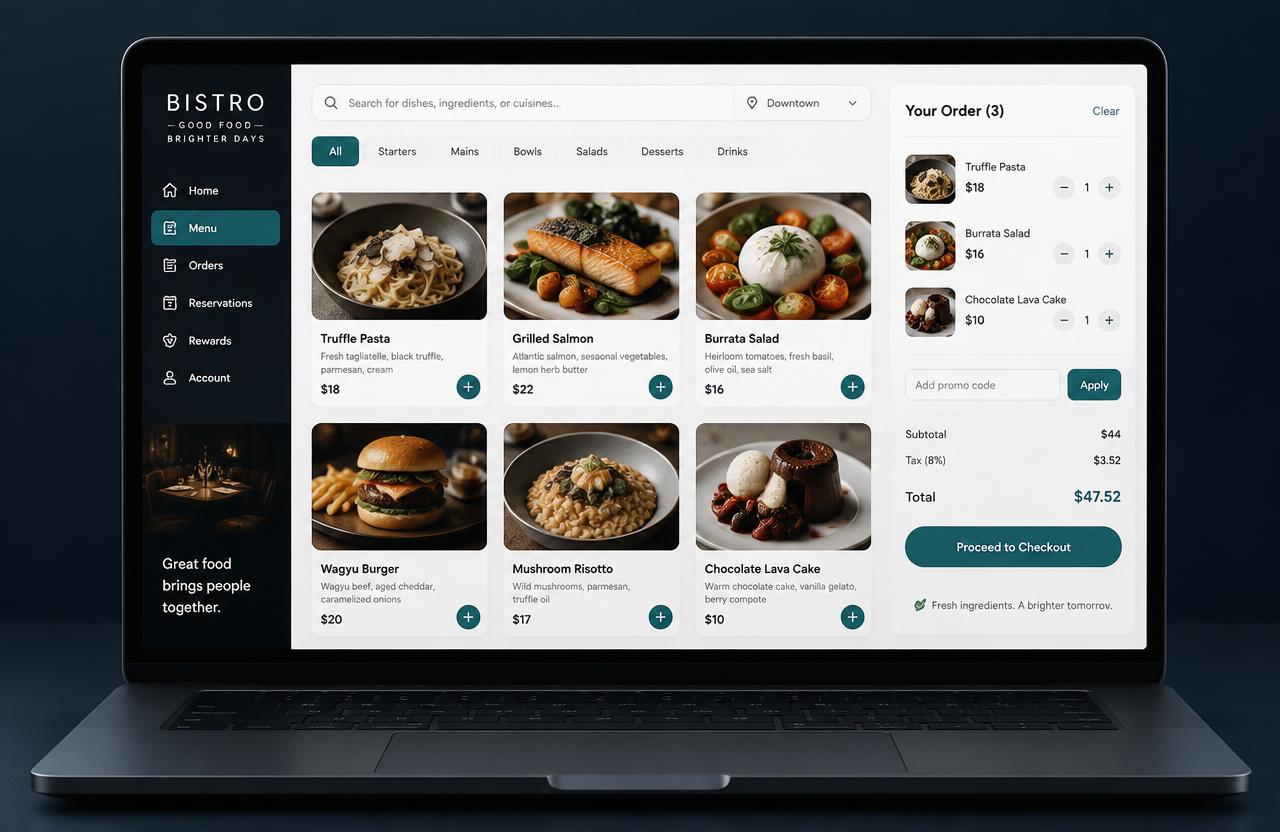
Here is one project — a restaurant ordering page — followed through every step.
Write in the composer
Describe what you want in plain words. Attach a screenshot or file, pick an engine and a permission mode.
Build a restaurant menu with a cart and checkout
Okkhor Code
The agent writes the code
It reads your request and the current project, then writes the page, styles and scripts as separate files.
index.htmlstyle.cssapp.js
<!doctype html>
<html>
<head>
  <link rel="stylesheet" href="style.css">
</head>
<body>
  <h1>Bistro</h1>
  <div id="menu"></div>
  <script src="app.js"></script>
</body>
</html>
Checks and automatic fixes
Before saving, the code is checked for errors. If something is wrong, the agent fixes it — how many tries depends on the permission mode.
- Read request & current app
- Wrote index.html, style.css, app.js
- Check found a code error in app.js
- Fixed it automatically
- Check passed — saved as v2
See the result
The live preview opens on the saved version. Switch phone, tablet or desktop, scan again or keep chatting.
Publish and share
Every saved version goes live on your public link. Pick your own address, turn on Google search, or download a Netlify-ready ZIP.
Live · okkhor.dev/p/bistro v2